JS插件拖拽特效能改变元素的大小和姿态–Interact.js

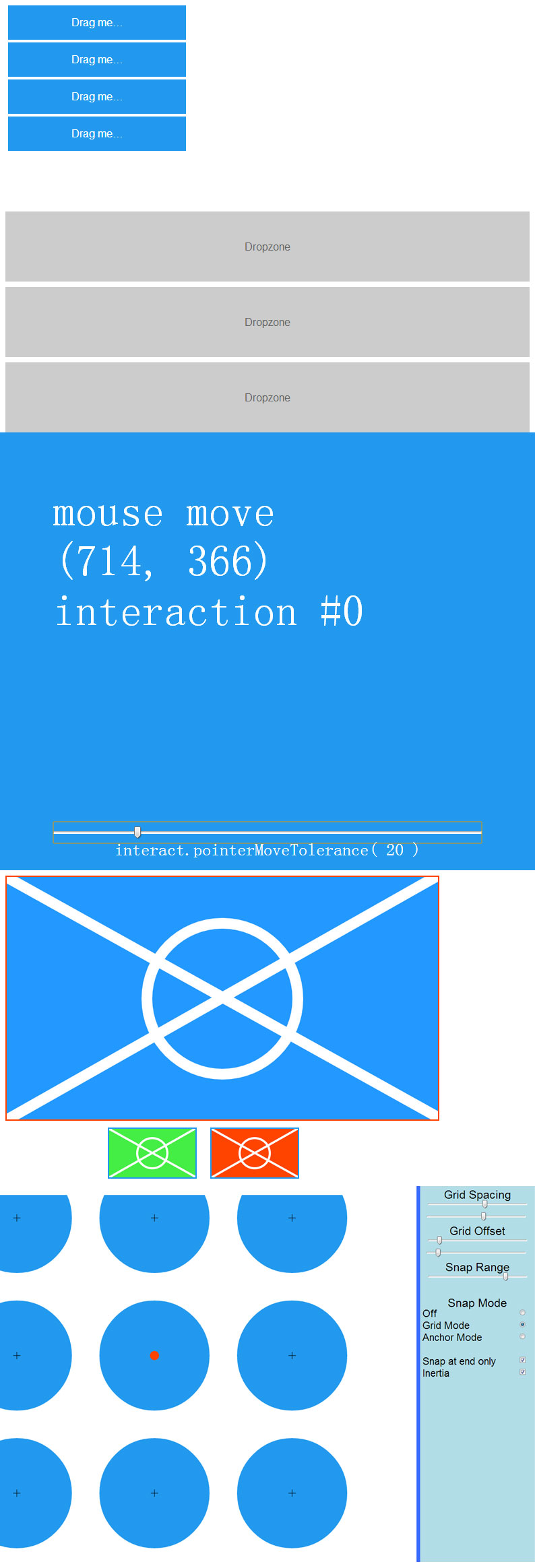
今天为大家分享一款JS插件–Interact.js,它能通过拖拽改变元素的大小和姿态。它是通过捕捉到网格来自定义锚点或路径,它也具有随着SVG元素的相互作用、轻量级和独立的、方便使用。它还具有响应式,能适应电脑和移动端,主要兼容的浏览器有Chrome,Firefox和Opera以及Internet Explorer 8 +。
代码片段
var // x and y to keep the position that's been dragged to
    x = 0,
    y = 0,
    // vendor prefixes (prefices?)
    transformProp = 'transform' in document.body.style?
                'transform': 'webkitTransform' in document.body.style?
                    'webkitTransform': 'mozTransform' in document.body.style?
                        'mozTransform': 'oTransform' in document.body.style?
                            'oTransform': 'msTransform';

// make an Interactable of the document body element
interact(document.body)
    // make a draggable of the Interactable
    .draggable({
        // on(drag)move
        // could also have done interact(document.body).draggable(true).ondragmove = function...
        onmove: function (event) {
            x += event.dx;
            y += event.dy;

            // translate the document body by the change in pointer position
            document.body.style[transformProp] = 'translate(' + x + 'px, ' + y + 'px)';
        }
    })
    // you should really add listeners like this if you want to add multiple listeners
    .on('dragend', function (event) {
        console.log('dragged a distance of ' +
            Math.sqrt(event.dx*event.dx + event.dy*event.dy) +
            ' pixels to ' + event.pageX + ', ' + event.pageY);
    })
    // allow inertia throwing
    .inertia({
        resistance: 15,
        zeroResumeDelta: true
    })
    // snap to the corners of the specified grid
    .snap({
        mode: 'grid',
        grid: {
            x: 100,
            y: 5
        },
        gridOffset: {
            x: 20,
            y: 10
        },
        range: Infinity // can also use -1 which gets changed to Infinity
    });


// you can also listen to InteractEvents for every Interactable
interact.on('dragstart', function (event) {
    console.log('starting drag from ' + event.x0 + ', ' + event.y0);
});
下载信息
格式:html+JS+SVG
文件大小:672kB
百度网盘下载:http://pan.baidu.com/s/1sgwA密码:ona3







![印刷平面设计超级大礼包合集样机下载 [购物袋/包装/礼品盒 PSD,112GB]](https://static.yrucd.com/wp-content/uploads/2020/03/0--300x200.jpg)